Xbox Game Pass for PC - 3 Months EU PC Windows CD Key
Xbox Game Activation Guide
Redeem your Xbox game quickly and securely using your Microsoft account.
How to Activate
- Sign in to the Microsoft account where you want to add the game.
- Visit xbox.com/redeem.
- Enter your 25-character activation code.
- Click Next, review the product details, then select Confirm.
- Your game will be permanently added to your Microsoft account and will be available in your library.
Important Information
- Redeem the code using a Microsoft account that matches the product's supported region.
- If the product requires a VPN, connect to the specified country before redeeming the code.
- Once redeemed, the game is permanently linked to your Microsoft account and cannot be transferred.
View Your Library
After activation, your game will appear in your Xbox library and can be downloaded on supported devices.
Restrictions régionales
-
Allemagne
-
Autriche
-
Belgique
-
Danemark
-
Espagne
-
Finlande
-
France
-
Grèce
-
Hongrie
-
Irlande
-
Italie
-
Norvège
-
Pays-Bas
-
Pologne
-
Portugal
-
Royaume-Uni
-
Russie
-
Slovaquie
-
Suède
-
Suisse
-
Tchéquie
Aucun pays trouvé.
À propos de Xbox Game Pass for PC - 3 Months
A three-month Xbox Game Pass for PC prepaid card stretches Windows gaming across a full quarter on one redemption — long enough to finish a campaign, sample two catalog rotations, and catch at least one Xbox Game Studios day-one release from your desk. PC-only players avoid chaining three separate monthly codes while keeping access focused on native Windows titles rather than paying for console cloud or bundled memberships tied to hardware they rarely boot.

Twelve Weeks With One Hundred Plus PC Games
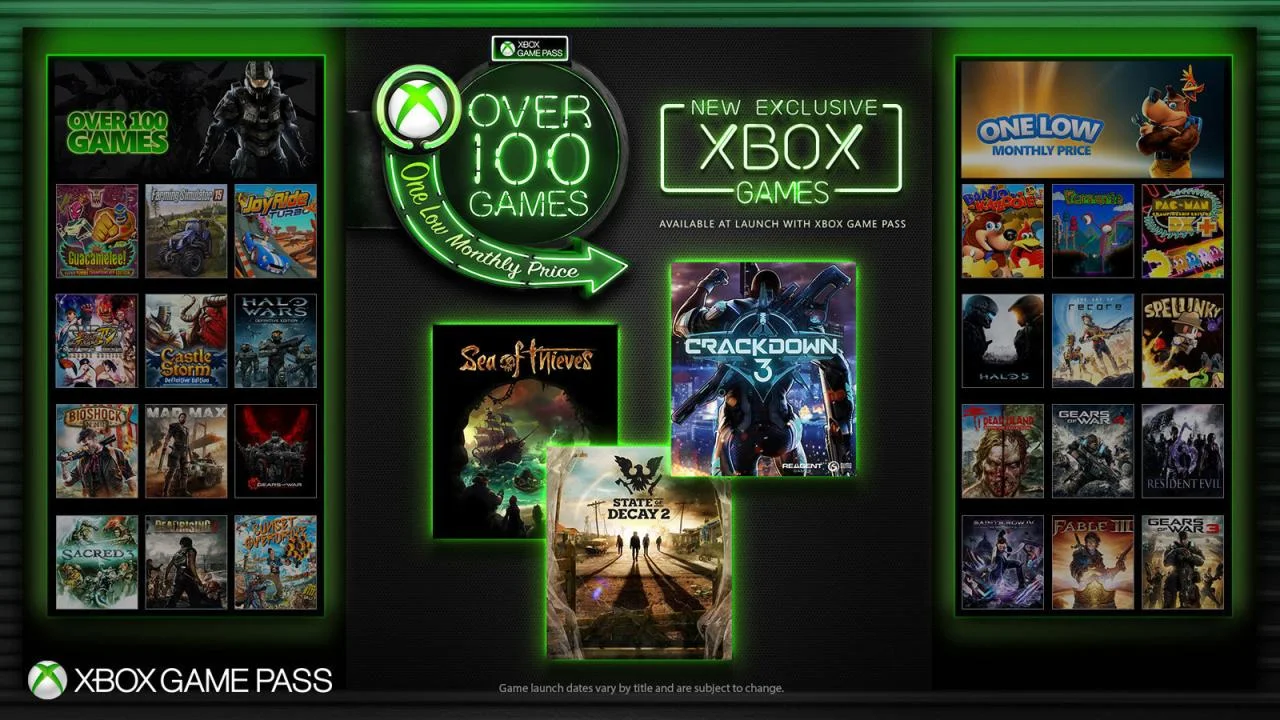
More than one hundred high-quality PC games sit behind a single subscription gate — strategy, RPG, indie, and action titles that Microsoft refreshes as the season progresses. Over ninety days that rotation matters: start a narrative in month one, pivot to co-op in month two, and return when new additions land without reopening your wallet for each stop. Xbox Game Pass for PC treats the catalog as a living shelf on Windows, not a static sale bundle you exhaust in a weekend.
Day-One Studio Releases From the Desktop
New Xbox Game Studios titles arrive on PC the day they launch, and a prepaid quarter often spans multiple first-party windows — enough time to follow a headline release, dig into back catalog picks, and still leave room for surprise drops Microsoft adds mid-term. Downloads run through the Xbox app with saves and achievements tied to your Microsoft account, which keeps progress consistent whether you play on a gaming laptop or a fixed tower setup.

Party Chat and a Lean PC Subscription
The Xbox app tracks what friends are playing and keeps chat active as you switch between installed titles — handy when your group mixes Game Pass downloads with owned Steam or Epic libraries on the same machine. This tier skips console cloud streaming and bundled EA Play that ship with Ultimate, which makes it the right prepaid stretch for households whose only screen is a Windows PC. Twelve weeks gives you time to settle into that rhythm instead of treating access like a thirty-day trial.

Shorter commitments are available on the Xbox Game Pass for PC one-month listing. Players who also game on Series hardware may compare Xbox Game Pass Ultimate or Xbox Game Pass Premium for couch and cloud coverage. Owned titles such as Marvel vs. Capcom: Infinite and Crime Boss: Rockay City still earn permanent slots for nights when you want a fixed favorite outside the rotating pass.
Choose the three-month Xbox Game Pass for PC prepaid card when Windows is your main platform — one code, one quarter, and more than one hundred titles waiting after activation.
| Genres: | Subscription |
|---|---|
| Plateformes: | Xbox |
| Régions: | Row |
| Langues: |
|
| Type de produit: | prepaid |
| Langues: |
|
Aucun avis n'a été trouvé. Partagez vos idées avec d'autres personnes.