




Search FAQ
EA Key Activation
There are a few ways you can activate your EA key. Activate your game key through the EA app for PC or directly through the Electronic Arts website.
Activation through the EA app
Download and open the EA app for PC, then follow the steps below to redeem your game key.
Download the EA app for PC1Open Redeem Code
Open the EA app, click My Collection, and then click Redeem Code.
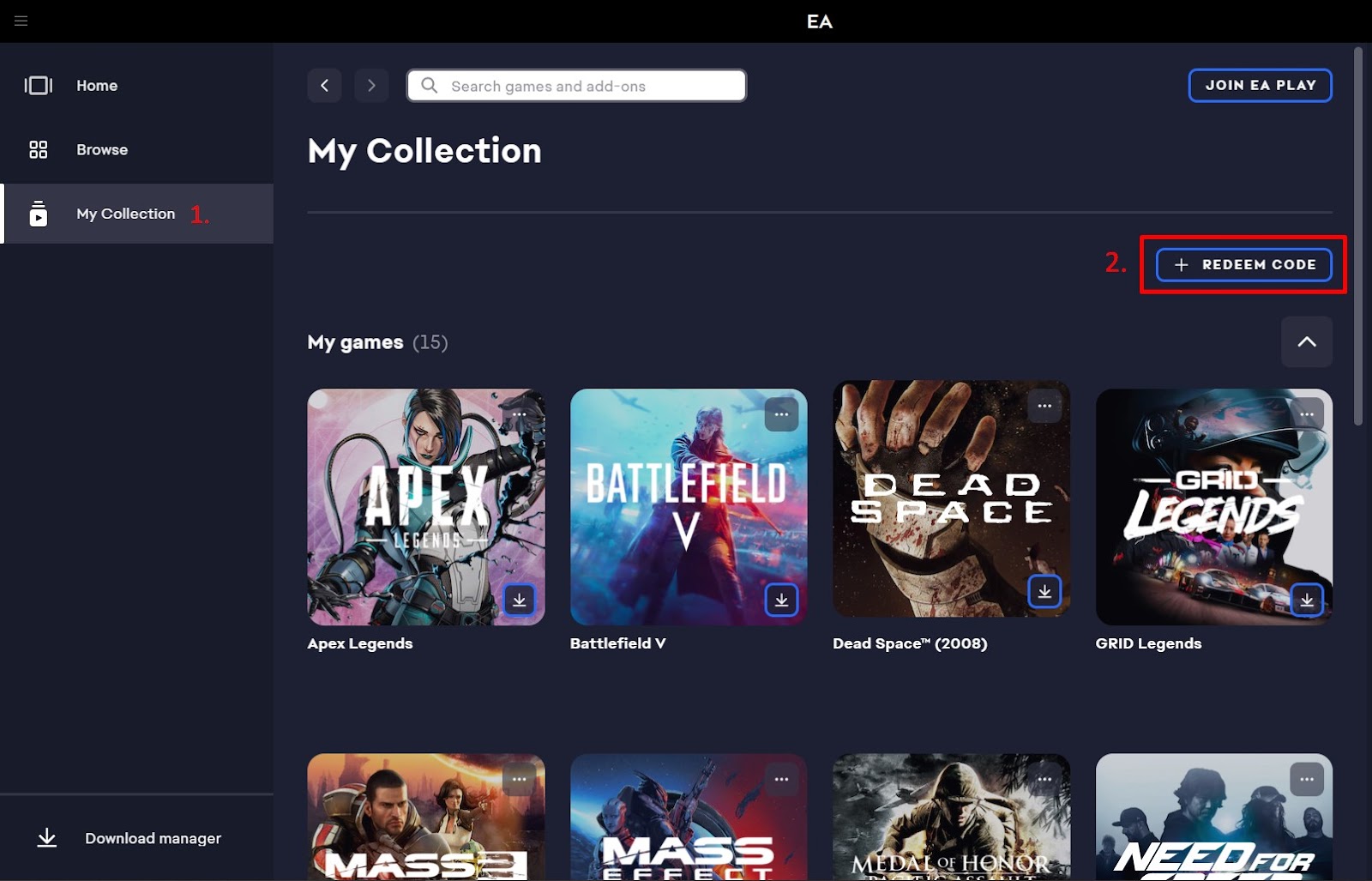
2Enter your key
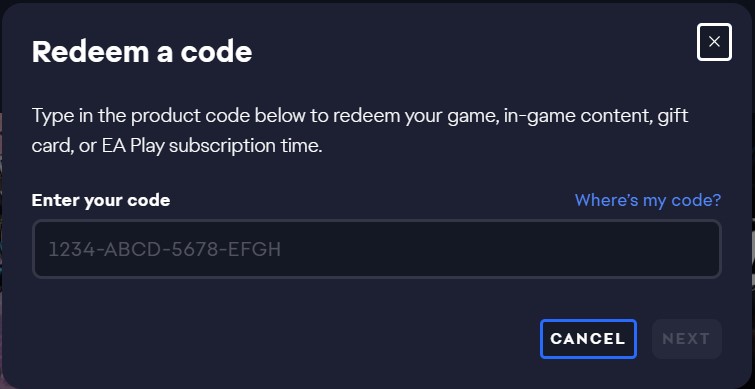
Enter your game key in the activation field and click Next. Make sure there are no spaces before or after your code.
Activation through the EA website
You can also activate the product key on the Electronic Arts website after signing in to your EA account.
Open the Electronic Arts website1Open Account Settings
Log in to the Electronic Arts website and go to your Account Settings page.
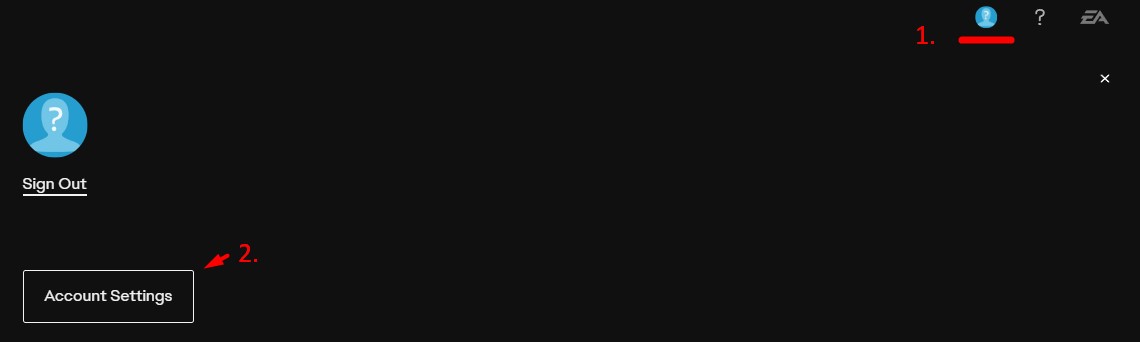
2Redeem Product Code
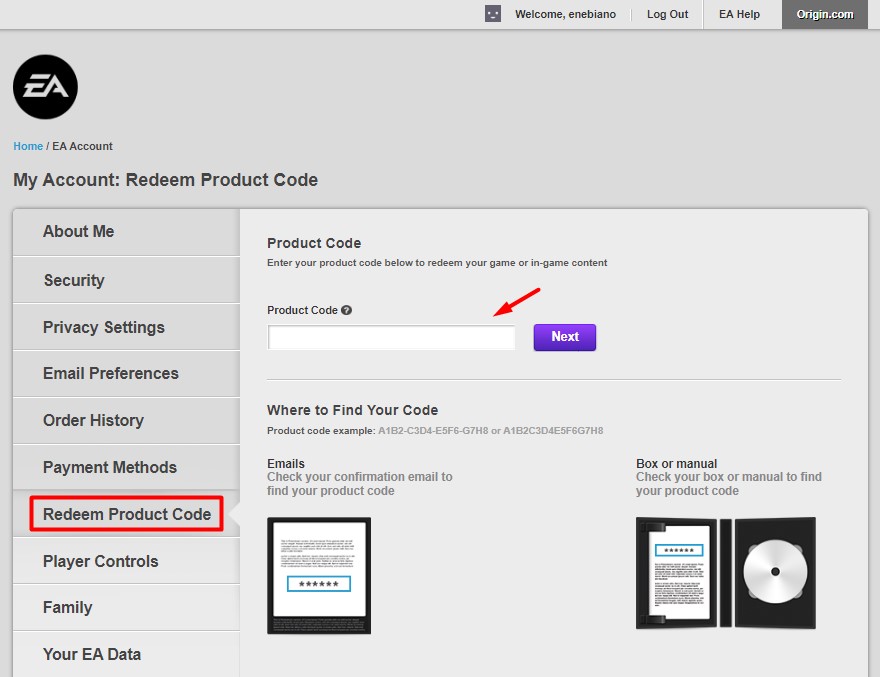
Click the Redeem Product Code button on the left side of your screen. Enter your key in the activation field and click Next.
EA Cash Card
Use these steps to redeem an EA Gift Card and add the funds to your EA Wallet.
1Open billing settings
Go to your EA Account and Billing settings.
2Open payment methods
Click on Payment Methods.
3Add funds
Next to EA Wallet, click Add More.
4Enter your code
Type in your EA Gift Card code.
5Accept terms
Read and accept the Terms and Conditions.
6Submit
Click Submit. Your Gift Card funds will be deposited into your EA Wallet.