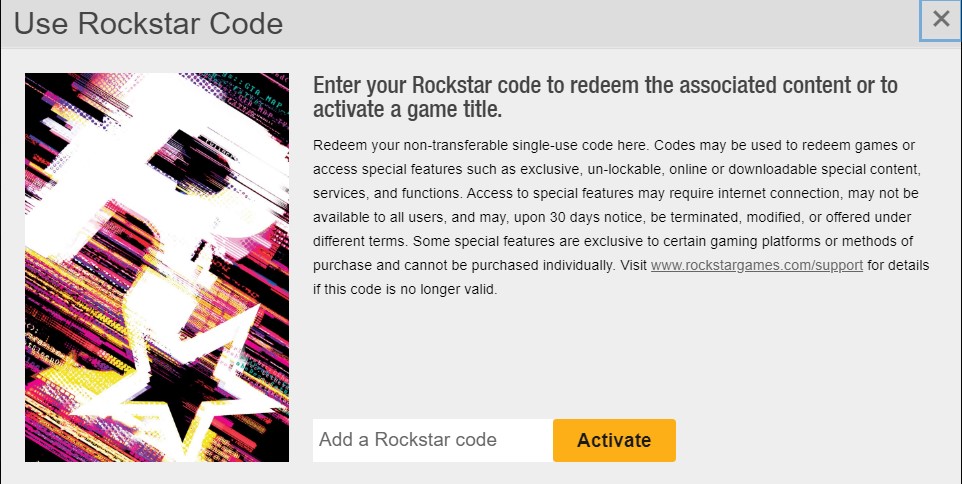
Rockstar activation guide
Activate your Rockstar game code through the Rockstar Games Launcher or the Rockstar Social Club website.
Activation through the Rockstar Games Launcher application
To redeem games on your Rockstar Social Club account, open the Rockstar Games Launcher application. If you do not have it installed, download it from the official Rockstar page.
Download Rockstar Games LauncherSign in
Sign in with your existing Rockstar Social Club account or create a new one.
Open Redeem Code
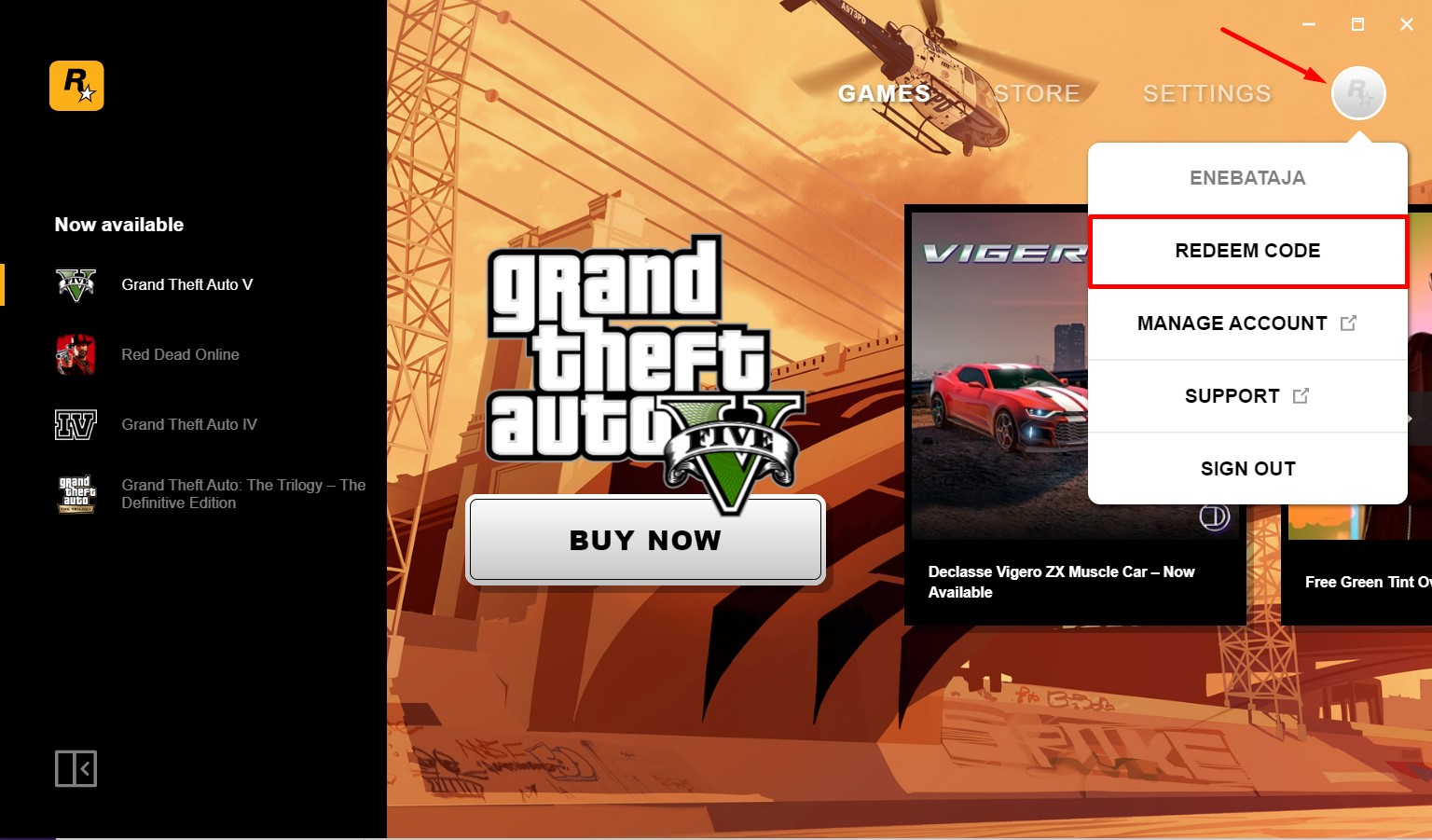
Press the icon on the top right side of the Rockstar Games Launcher, then click the REDEEM CODE button shown below.
Paste and check your code
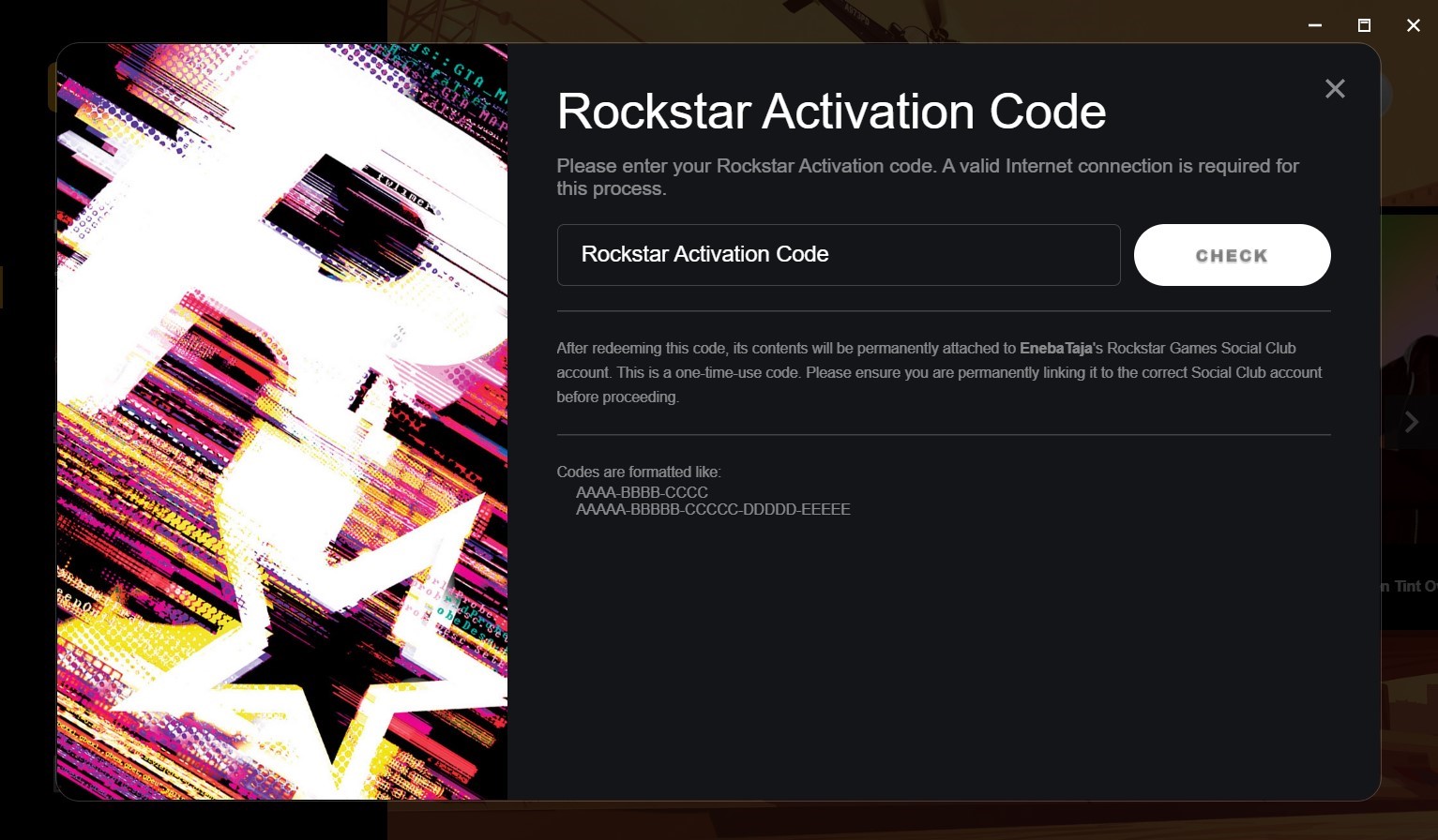
The Rockstar Code activation window will appear. Paste your game code into the designated field and click the CHECK button.
Activation through the website
Register or sign in to your Rockstar Social Club account, then follow the steps below to redeem the code through the website.
Open Rockstar Social ClubUse Rockstar Code
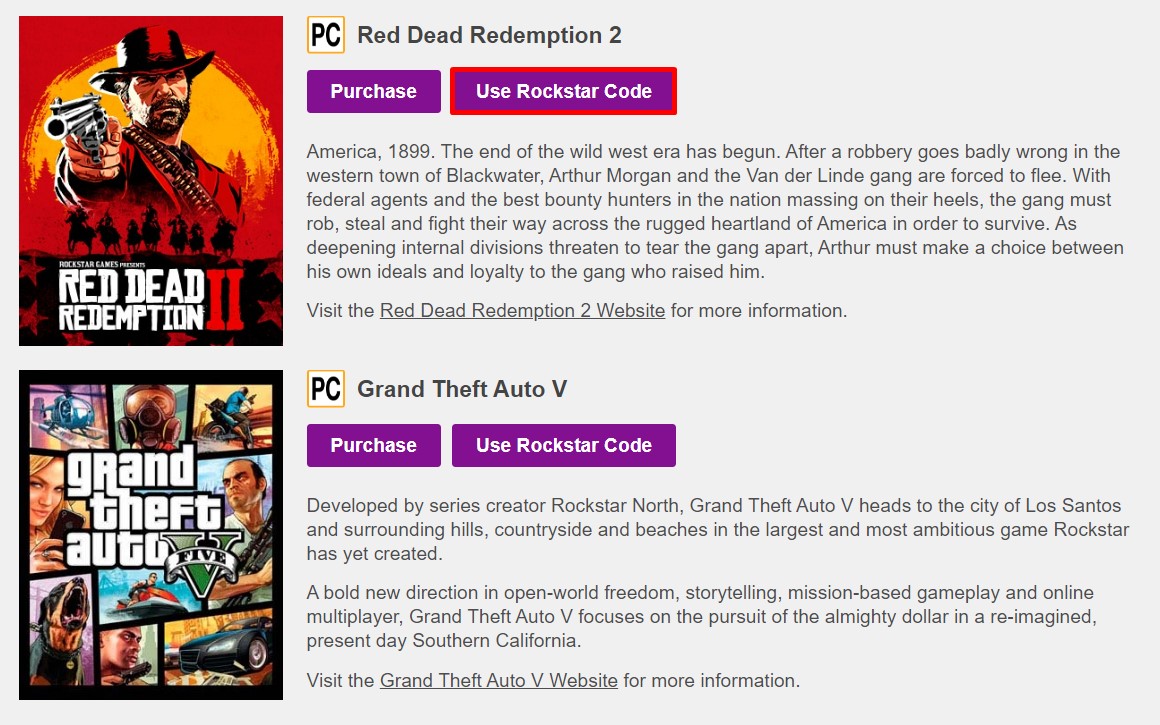
Click the Use Rockstar Code button for any product. The same activation window opens for every supported product.
Activate your code
The Rockstar Code activation window will appear. Paste your game code into the designated field and press the Activate button.