




My Payment Failed
If your payment fails, you will receive an email or message asking you to change your payment method.
Change Your Payment Method
If you have an account, you can change the payment method for your order from your Orders page.
Open Orders1Open your Orders page
Log in to your account and go to Orders.
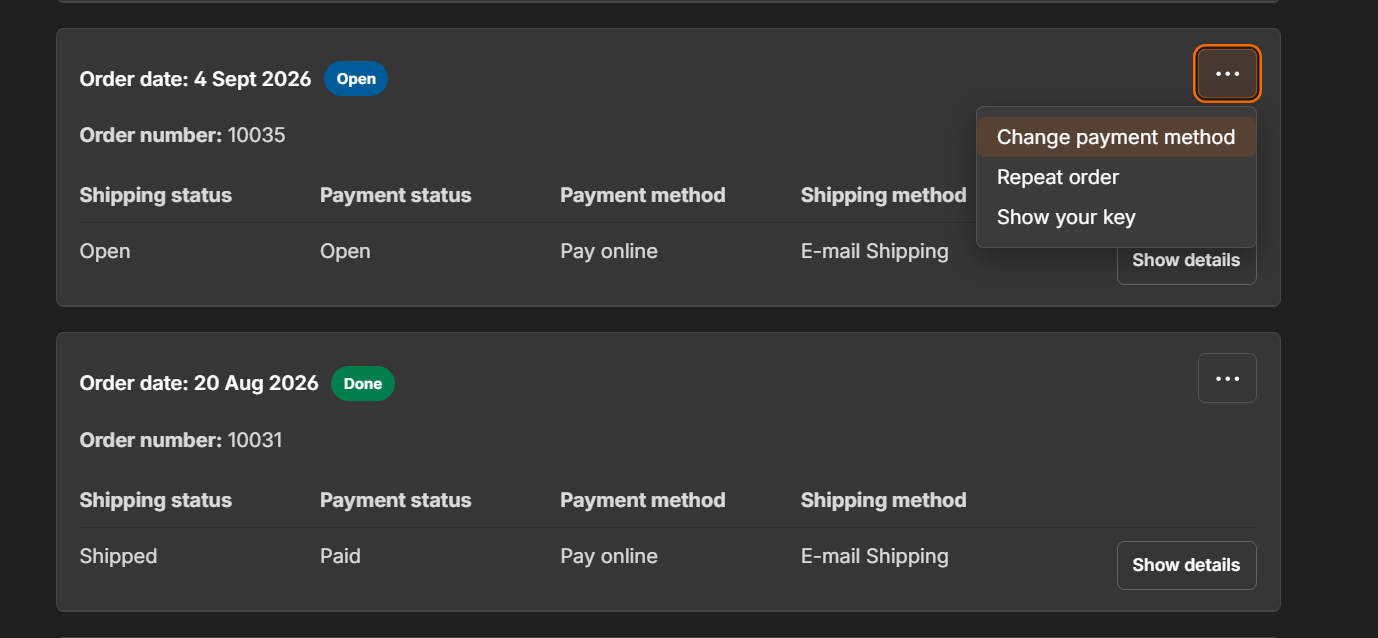
2Choose Change payment method
Select the three-dot (…) button next to the order, then select Change payment method.
3Complete the payment
Choose a new payment method and confirm with Complete payment.
Need Help?
Our Support Team can help.
Contact us1Contact support
If you cannot change your payment method, please contact our Support Team through the Contact Us page.