




Where Can I Find My Order?
You can find your order in My Library if you have an account, or in your order confirmation email if you checked out as a guest.
Registered Customers
Use My Library to access purchased products from a registered account.
Open My Library1Open My Library
If you have a registered account, sign in and go to My Account → My Library to access your purchased products.
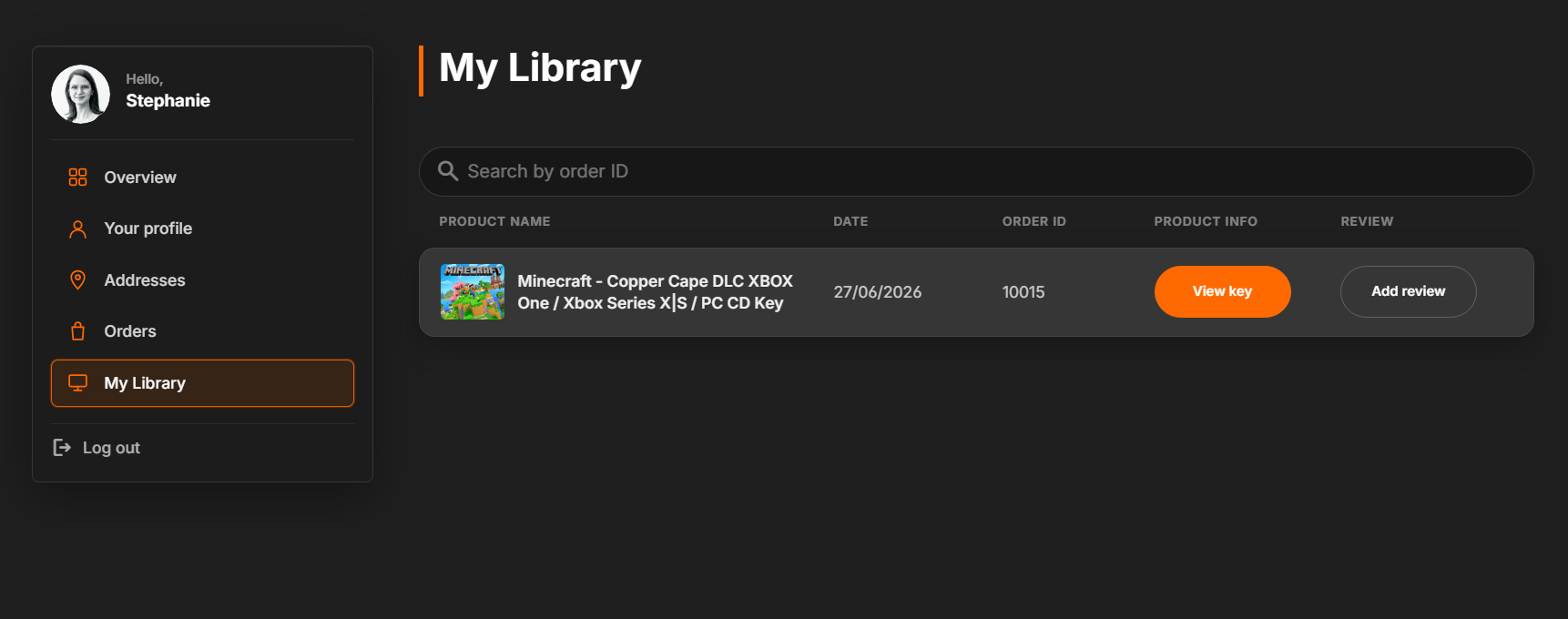
2Click View Key
Click View Key next to the relevant order. You will then be redirected to the page containing your product key and order details.
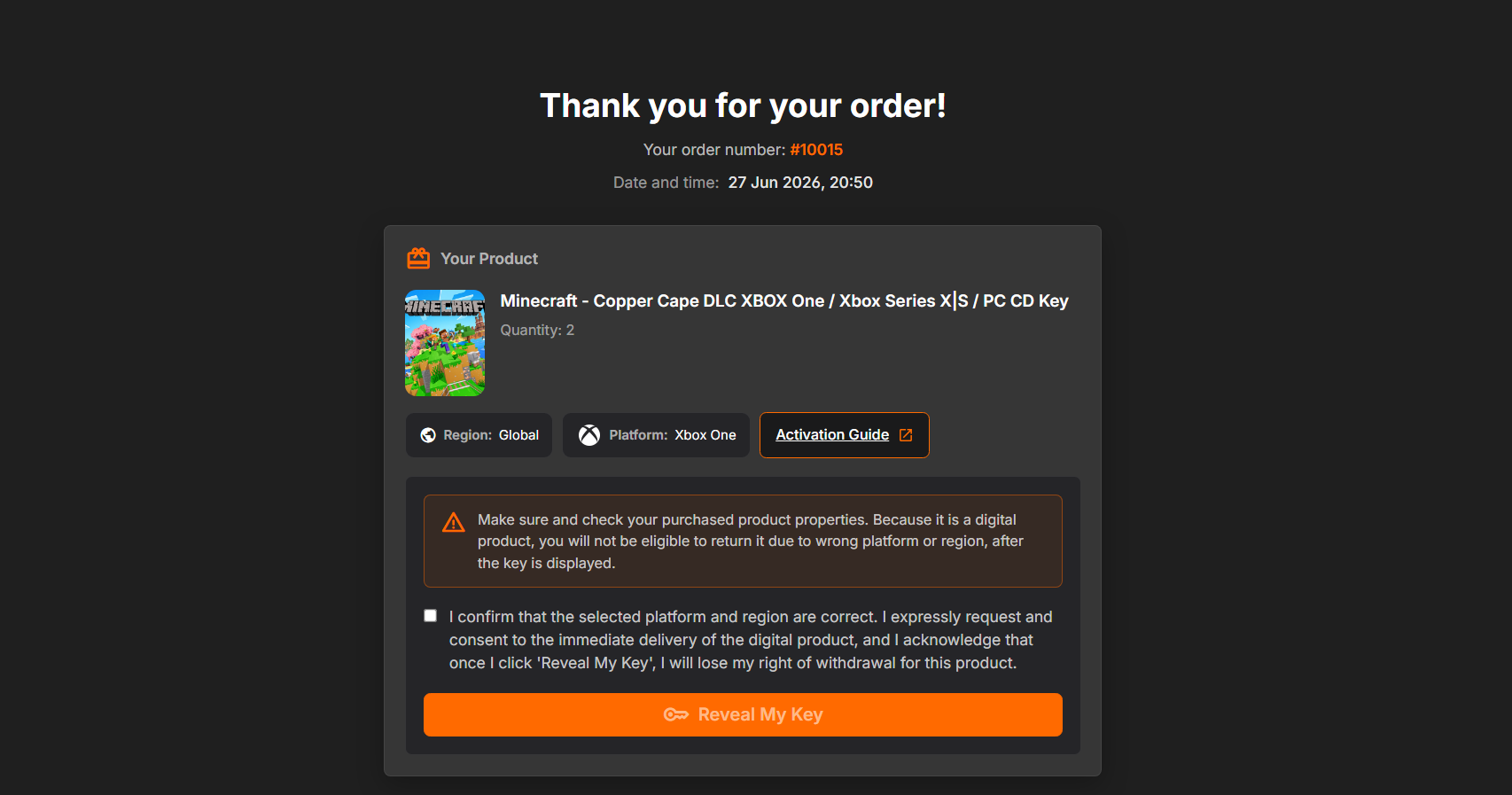
Guest Checkout
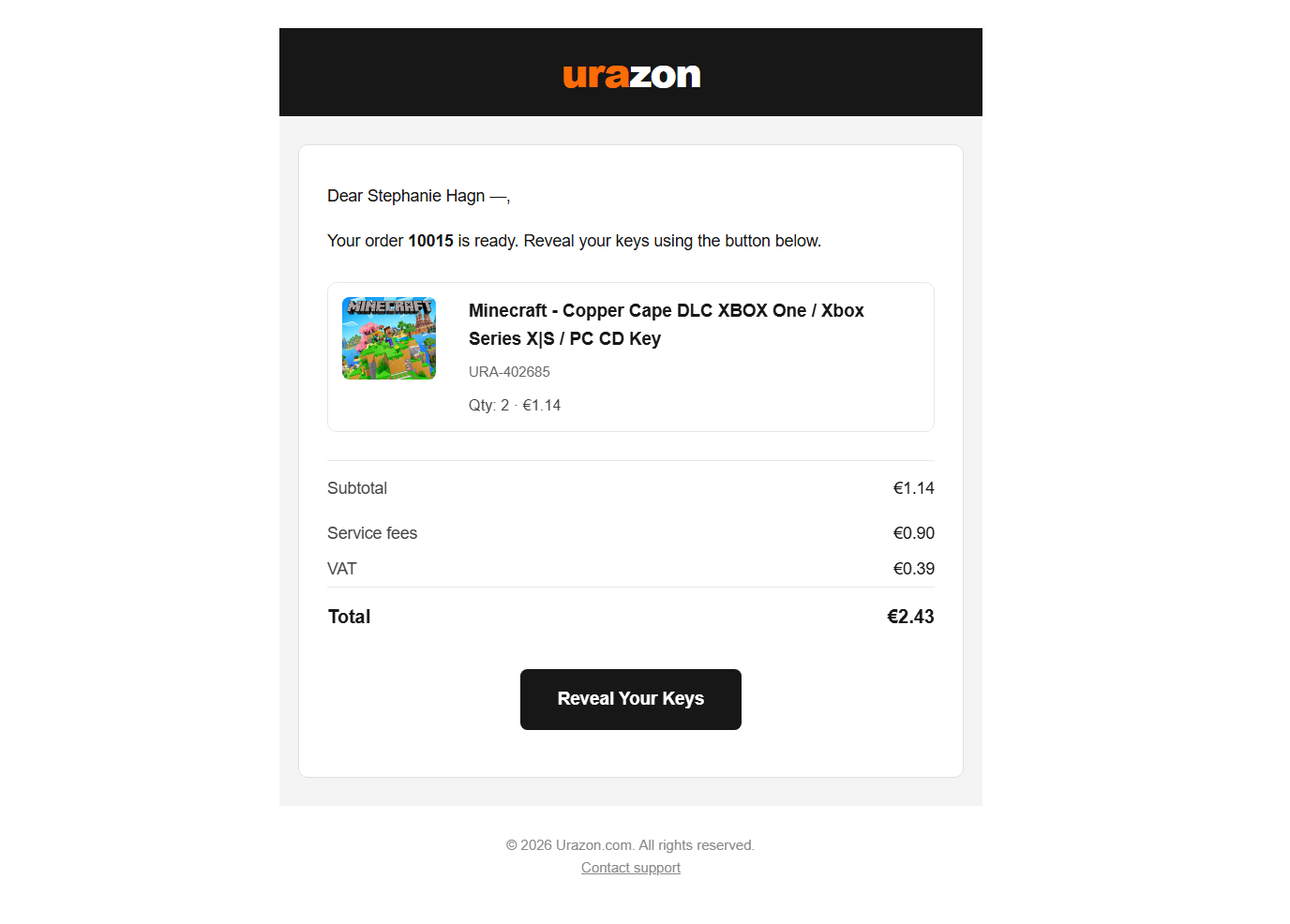
Guest orders are sent by email after purchase.
1Check your order email
If you placed your order as a guest, your order details are available in the order confirmation email sent after your purchase.
2Check other folders
If you cannot find the email in your inbox, please check your Spam, Junk, or Promotions folder.
Can't Access Your Confirmation Email?
Our Support Team can help locate your order.
Email support1Contact support
If you are unable to locate or access your order confirmation email, please contact our Support Team through the Support Center or by email at [email protected].
2Use the same email address
To help us locate your order as quickly as possible, please contact us using the same email address that you used when placing the order.