




.webp)
Microsoft Windows 10 Professional


























































































































































































































































€14.90









About Microsoft Windows 10 Professional
Microsoft Windows 10 Professional is the edition most people choose when the PC is for real work — not just browsing and streaming. It fits freelancers, small offices, developers, and remote workers who need BitLocker encryption, Remote Desktop hosting, Hyper-V, Group Policy, or domain join, while keeping the familiar Windows 10 desktop and broad software compatibility.
Pro remains a practical choice on hardware that does not meet Windows 11 requirements, or when you simply prefer a desktop you already know. You get the professional controls Home leaves out, without stepping up to the full Enterprise stack used for large regulated fleets.
Work Features Home Does Not Include
BitLocker encrypts the system drive so a lost laptop does not hand over every file. Remote Desktop turns your PC into a host you can reach from another device while travelling. Hyper-V and Windows Sandbox give you local virtual machines and isolated test environments. Domain join and Group Policy let Pro machines sit on a company network with shared policies — the everyday reasons freelancers and office staff pick Pro over Home.
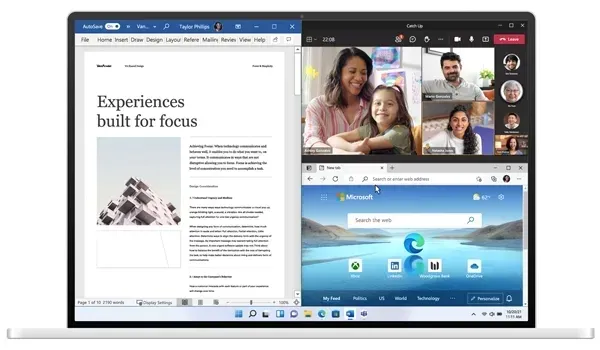
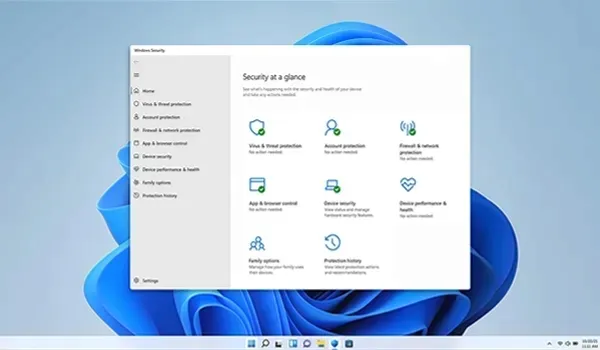
Windows 10 Professional still feels like everyday Windows: Start menu, virtual desktops, Windows Hello on supported hardware, and Windows Security with Microsoft Defender. It runs thousands of business apps, creative tools, and games, and it does not require TPM 2.0 the way Windows 11 does — so many current work laptops can stay productive without a forced hardware upgrade.
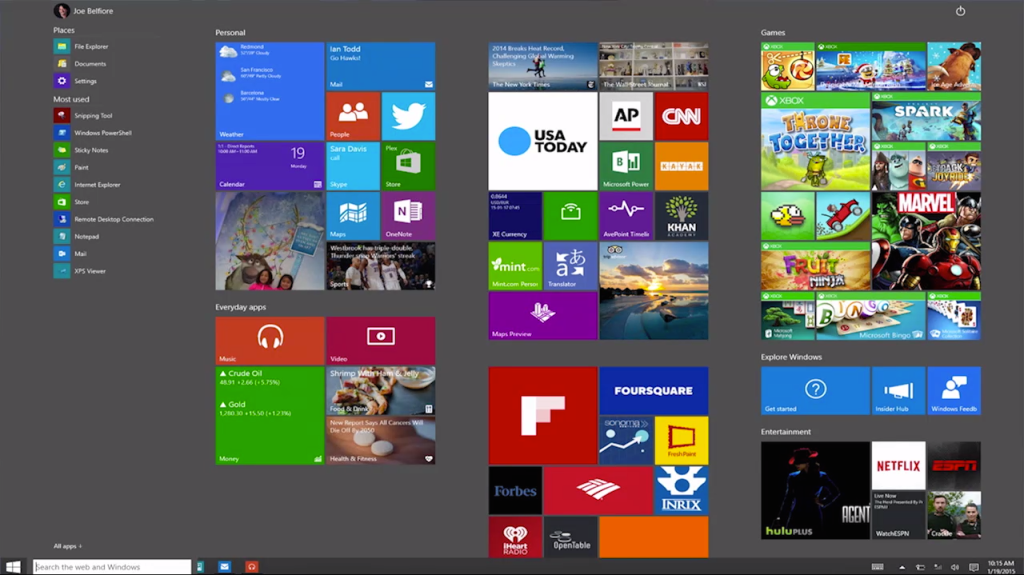
Professional Features
- BitLocker Drive Encryption for advanced data protection
- Remote Desktop Host for secure remote access
- Hyper-V virtualization for running virtual machines
- Windows Sandbox for testing software in an isolated environment
- Local Group Policy Editor for advanced system administration
- Active Directory domain join and Microsoft Entra ID support
- Windows Hello biometric authentication
- Windows Security with Microsoft Defender protection
- Familiar Windows 10 desktop with broad app and peripheral compatibility
- Works on many PCs that cannot yet install Windows 11
Windows 10 Pro vs Home, Enterprise, and Windows 11
Choose Windows 10 Professional when you need business security and remote tools without full Enterprise licensing. Everyday personal use belongs on Windows 10 Home. Large organisations with stricter application control and fleet policy usually evaluate Windows 10 Enterprise; campuses may prefer Windows 10 Education. Buying a new PC that clears Windows 11 hardware checks? Compare Windows 11 Professional.
System Requirements
Windows 10 Professional follows Microsoft’s Windows 10 hardware baseline:
- Compatible processor (1 GHz or faster recommended)
- At least 2 GB of RAM for 64-bit installs (4 GB+ recommended for work)
- At least 32 GB of available storage (64 GB+ preferred)
- DirectX 9 or later with WDDM 1.0 driver
- Display with 800×600 resolution or higher
- Internet connection for setup, updates, and Microsoft account features
TPM 2.0 is not required for Windows 10 Professional the way it is for Windows 11 — useful when your current work PC still does the job.
Installation & Activation
This key activates Windows 10 Professional on a matching Professional installation. It is not a Home key and is not a shortcut to turn Home into Pro unless we clearly sell that as a separate upgrade product. Confirm Settings → System → About before checkout, install from official Windows 10 Professional media, then enter the product key under Settings → Update & Security → Activation (or Settings → System → Activation on newer builds). Back up important files before a clean install.
Related Windows Editions
Personal machines without business tools can stay on Windows 10 Home. Fleet-managed estates compare Windows 10 Enterprise, while school devices may use Windows 10 Education. On newer eligible hardware, look at Windows 11 Professional or Windows 11 Home.
Buy Microsoft Windows 10 Professional
Microsoft Windows 10 Professional is a suitable choice for users who need BitLocker, Remote Desktop, Hyper-V, and domain-ready tools on a stable Windows 10 desktop. Browse our full Operating Systems range, explore more in Software, or compare Windows 11 Professional before you buy.
| Platforms: | Windows |
|---|---|
| Product Type: | Operating systems |
| Regions: | Global |
| Languages: |
|