




.webp)
Microsoft Windows 11 Professional



























































































































































































































































€14.90









About Microsoft Windows 11 Professional
Microsoft Windows 11 Professional is the business-focused edition of Windows 11, designed for professionals, companies, developers, and advanced users who require more than the standard features available in the Home edition. It combines the familiar Windows experience with enterprise-grade security, remote management, virtualization, and productivity tools, making it suitable for both office environments and demanding personal workstations.
Built on Microsoft's latest operating system architecture, Windows 11 Professional delivers improved performance, stronger security, and a redesigned interface that helps users stay organized and productive throughout the day. The modern Start menu, enhanced File Explorer, Snap Layouts, and Virtual Desktops simplify multitasking, while support for the latest hardware technologies ensures excellent compatibility with current processors, SSDs, graphics cards, and peripherals.
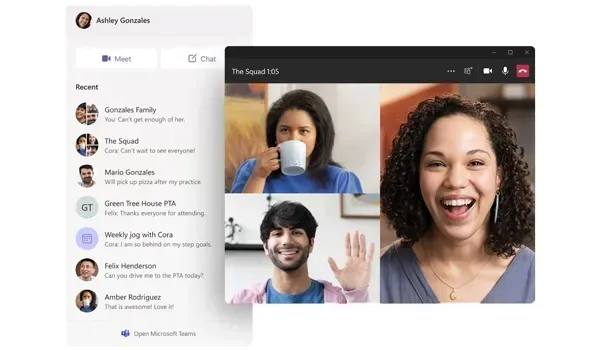
Unlike Windows 11 Home, the Professional edition includes advanced administrative features that are essential for business environments. BitLocker Drive Encryption protects sensitive data against unauthorized access, Remote Desktop allows users to securely access their PC from another location, while Hyper-V and Windows Sandbox provide isolated environments for software testing and virtualization. Support for Active Directory, Microsoft Entra ID, and Local Group Policy makes Windows 11 Professional an excellent choice for organizations that require centralized device management and enhanced security policies.
Why Choose Windows 11 Professional?
Windows 11 Professional is designed for users who depend on their computer every day. Whether you manage confidential business documents, develop software, edit high-resolution media, analyze large datasets, or simply want greater control over your operating system, Windows 11 Professional provides the flexibility and security required for professional workloads.
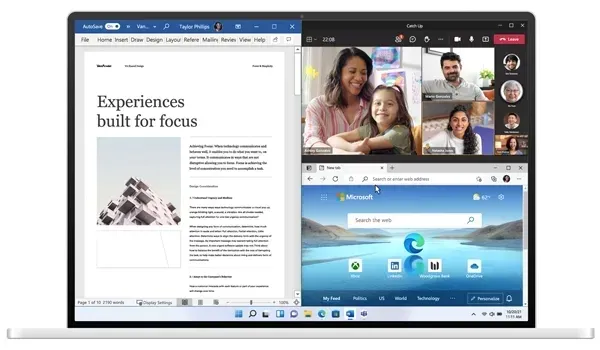
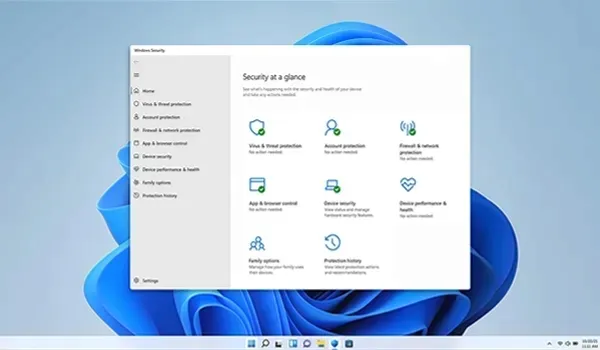
The operating system is optimized for modern hybrid work environments, allowing users to collaborate, connect remotely, and securely access files from virtually anywhere. Built-in Microsoft security technologies work continuously in the background to protect against malware, ransomware, phishing attempts, and unauthorized access without requiring additional enterprise software.
Windows 11 Professional also offers excellent compatibility with thousands of business applications, creative software suites, engineering tools, accounting systems, cloud platforms, and modern PC games, making it a versatile operating system for both work and entertainment.
Professional Features
- BitLocker Drive Encryption for advanced data protection
- Remote Desktop Host for secure remote access
- Hyper-V virtualization for running virtual machines
- Windows Sandbox for testing software in an isolated environment
- Local Group Policy Editor for advanced system administration
- Support for Active Directory Domain Join
- Microsoft Entra ID integration
- Windows Hello biometric authentication
- Secure Boot and TPM 2.0 hardware security
- Windows Security with Microsoft Defender protection
- Snap Layouts and Snap Groups for efficient multitasking
- Virtual Desktops for organizing different workspaces
- DirectX 12 Ultimate support for compatible graphics hardware
- Improved support for multiple monitors and high-resolution displays
- Regular feature and security updates from Microsoft
System Requirements
Before purchasing, verify that your PC meets Microsoft's Windows 11 hardware baseline:
- Compatible 64-bit processor with at least 1 GHz and 2 or more cores
- At least 4 GB of RAM
- At least 64 GB of available storage
- UEFI firmware with Secure Boot capability
- TPM 2.0 support
- DirectX 12 compatible graphics processor
- Display larger than 9 inches with HD resolution
- Internet connection for certain setup and Microsoft account features
Check your PC compatibility with Microsoft's PC Health Check.
Installation & Activation
After installing Windows 11 Professional, activation is completed by entering a valid Windows 11 Pro product key through Settings → System → Activation → Change Product Key. The installed edition must match the purchased license. Customers upgrading from Windows 11 Home can unlock Professional features without reinstalling Windows by changing the product key, provided their device meets Microsoft's licensing requirements.
Related Windows Editions
Not sure which Windows edition is right for you? Compare Windows 11 Home for everyday computing, Windows 11 Enterprise for large organizations, and Windows 11 Education for academic institutions. If you prefer the previous generation of Windows, you can also explore Windows 10 Professional and Windows 10 Home.
Buy Microsoft Windows 11 Professional
Microsoft Windows 11 Professional is a suitable choice for users who need advanced security, remote access, virtualization, and professional device management. Browse our full Operating Systems range, explore more in Software, or compare editions such as Windows 10 Enterprise, Windows 10 Education, and Windows 11 Home before you buy.
| Platforms: | Windows |
|---|---|
| Product Type: | Operating systems |
| Regions: | Global |
| Languages: |
|