




.webp)
Microsoft Windows 11 Home



































































































































































































































€12.90









About Microsoft Windows 11 Home
Microsoft Windows 11 Home is the consumer edition of Windows 11 — the version most personal laptops and family desktops ship with. It delivers the modern Windows experience for browsing, study, entertainment, creative hobbies, and PC gaming, without the business administration tools reserved for Professional and Enterprise.
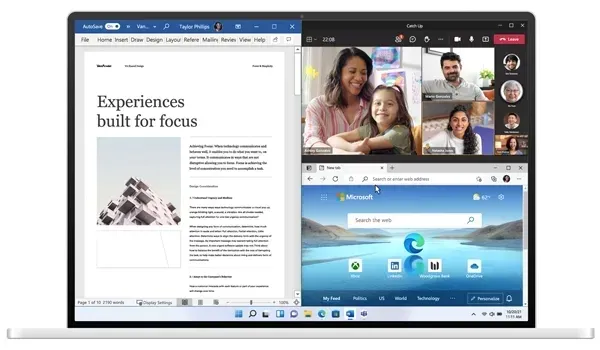
Home keeps the redesigned Start menu, Snap Layouts, Widgets, Virtual Desktops, and a cleaner File Explorer, so everyday tasks feel organised without a steep learning curve. Microsoft Store apps, Xbox features on supported hardware, and Windows Hello sign-in round out a desktop built for homes, students, and anyone who wants current Windows without domain join or BitLocker management.
Everyday Windows, Without Enterprise Overhead
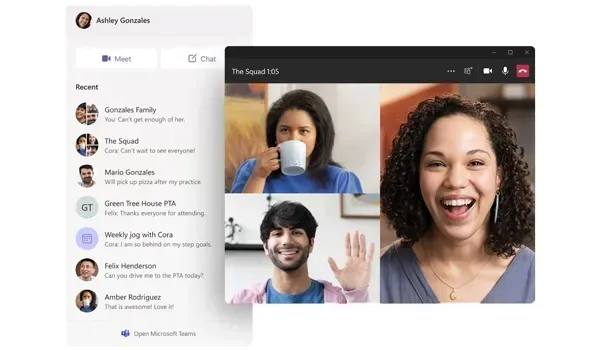
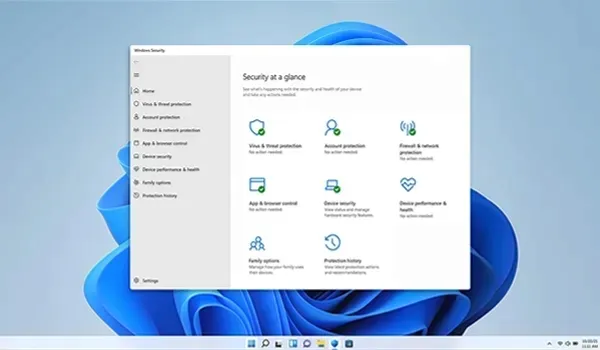
Windows 11 Home focuses on what personal users actually need: a fast, familiar desktop, strong baseline security through Windows Security and Microsoft Defender, and smooth multitasking for schoolwork, streaming, messaging, and light productivity. You get the same modern interface language as other Windows 11 editions, tuned for Microsoft accounts and consumer devices rather than Active Directory or Group Policy fleets.
Gamers benefit from DirectX 12 support, Auto HDR on compatible displays, and Xbox app integration where available. Households can set up family accounts, browse the Microsoft Store, and keep the PC updated through Microsoft's regular feature and security releases — all without paying for remote-host or virtualization tooling they will never open.
Home Edition Features
- Modern Windows 11 Start menu, taskbar, and Widgets
- Snap Layouts and Virtual Desktops for everyday multitasking
- Microsoft Store access for apps and entertainment
- Xbox app integration and gaming-oriented graphics support
- Windows Hello biometric sign-in on supported cameras and fingerprint readers
- Windows Security with Microsoft Defender protection
- Secure Boot and TPM 2.0 hardware security requirements
- Improved touch, pen, and multi-monitor support on compatible devices
- Regular Microsoft feature and security updates
Windows 11 Home vs Windows 11 Pro
Choose Windows 11 Home when the PC is for personal use, school, or home entertainment. Move up to Windows 11 Professional if you need BitLocker drive encryption management, Remote Desktop hosting, Hyper-V, Windows Sandbox, Local Group Policy, or Microsoft Entra ID / domain join. Large organisations typically evaluate Windows 11 Enterprise; schools and campuses often look at Windows 11 Education.
System Requirements
Windows 11 Home uses the same hardware baseline as other Windows 11 editions. Confirm compatibility before you buy:
- Compatible 64-bit processor with at least 1 GHz and 2 or more cores
- At least 4 GB of RAM
- At least 64 GB of available storage
- UEFI firmware with Secure Boot capability
- TPM 2.0 support
- DirectX 12 compatible graphics processor
- Display larger than 9 inches with HD resolution
- Internet connection for setup and Microsoft account features
Check your PC with Microsoft's PC Health Check before purchasing. A valid Home key cannot bypass missing TPM, Secure Boot, or unsupported CPU checks.
Installation & Activation
This license activates Windows 11 Home on a matching Home installation. Confirm the edition under Settings → System → About, install from official Microsoft Windows 11 Home media, then enter your product key via Settings → System → Activation → Change Product Key. It is not a Professional or Enterprise key — the installed edition must match the license you buy.
Related Windows Editions
Need business encryption and remote hosting? See Windows 11 Professional. For fleet-managed environments compare Windows 11 Enterprise, and for academic licensing consider Windows 11 Education. Hardware that is not Windows 11-ready can stay on Windows 10 Home or Windows 10 Professional.
Buy Microsoft Windows 11 Home
Microsoft Windows 11 Home is the right digital edition for personal PCs that need the modern Windows 11 desktop for everyday work, study, gaming, and family use. Browse all editions in our Operating Systems category, explore the wider Software catalogue, or compare sibling releases before checkout.
| Platforms: | Windows |
|---|---|
| Product Type: | Operating systems |
| Regions: | Global |
| Languages: |
|