




.webp)
Microsoft Windows 11 Education
























































































































































































































































€23.90









About Microsoft Windows 11 Education
Microsoft Windows 11 Education brings the current Windows 11 desktop to schools, colleges, and training programmes — with classroom-friendly productivity plus the management depth campus IT teams expect. Students and teachers get Snap Layouts, improved touch and pen support, and a calmer interface, while administrators keep the security and policy controls needed on shared or school-owned devices.
Education is intended for campus-issued PCs and devices covered by an education programme, not as a casual Home replacement on a personal laptop bought outside that context. It sits alongside Enterprise-class management ideas for labs and classrooms: approved apps, update timing around terms, and identity that fits school Microsoft environments — without forcing every learner to navigate a corporate desktop full of unused business tooling.
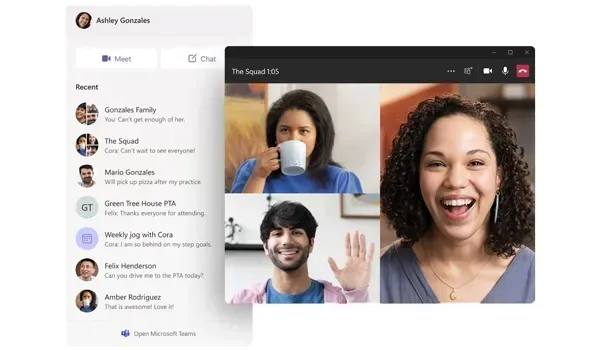
Built for Classrooms and Campus Labs
Windows 11 Education helps institutions refresh ageing computer rooms without giving up control. Shared machines can stay aligned to school policies, specialist learning software can run beside browsers and Microsoft 365 apps, and the modern shell makes it easier for students to organise notes, projects, and online lessons. Touch-enabled convertibles and pen input benefit art, STEM sketching, and annotation workflows common in education hardware rollouts.
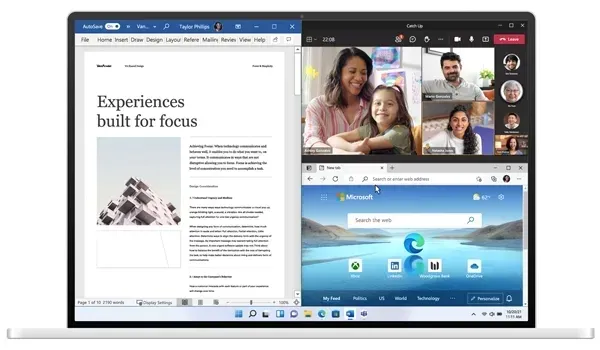
For IT staff, Education supports the same serious management trajectory schools already know from Enterprise-oriented Windows deployments: Microsoft Entra ID / domain join patterns, Group Policy, BitLocker where required, and security baselines that protect credential and app surfaces on devices that leave the campus network. Faculty who need a staff laptop outside a campus SKU often use Professional instead; pure home use stays on Home.
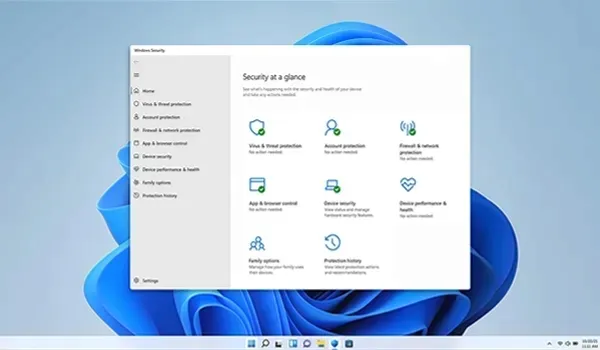
Education Edition Features
- Modern Windows 11 interface suited to teaching and study
- Snap Layouts and Virtual Desktops for organising classwork
- Strong touch and pen support on compatible education devices
- BitLocker, Remote Desktop, Hyper-V, and Windows Sandbox for IT and advanced courses
- Microsoft Entra ID and Active Directory join for school identity
- Group Policy and device-management options for lab fleets
- Windows Hello and Windows Security with Microsoft Defender
- Secure Boot and TPM 2.0 hardware security requirements
- Compatibility with browsers, Office, and specialist learning software
- Regular Microsoft feature and security updates
Education vs Home, Pro, and Enterprise
Use Windows 11 Education when the device belongs to a school programme or education agreement. Personal family PCs should stay on Windows 11 Home. Freelancers and small offices that need BitLocker and Remote Desktop without campus licensing typically choose Windows 11 Professional. Large corporate fleets outside education usually deploy Windows 11 Enterprise.
System Requirements
Windows 11 Education uses Microsoft's Windows 11 hardware baseline. Check student laptops and lab PCs before imaging:
- Compatible 64-bit processor with at least 1 GHz and 2 or more cores
- At least 4 GB of RAM
- At least 64 GB of available storage
- UEFI firmware with Secure Boot capability
- TPM 2.0 support
- DirectX 12 compatible graphics processor
- Display larger than 9 inches with HD resolution
- Internet connection for setup, updates, and school cloud accounts
Verify devices with Microsoft's PC Health Check or your campus hardware checklist. Also see Microsoft’s TPM 2.0 guidance if firmware settings need enabling.
Installation & Activation
This license activates Windows 11 Education on a matching Education installation. It does not convert Home or Professional into Education, and it is not a generic “any Windows 11” key. Confirm the edition under Settings → System → About, install from official Education media, then enter the product key via Settings → System → Activation → Change Product Key. Students, parents, and staff should confirm with school IT that Education is the correct edition before purchasing; many campuses activate at scale through their Microsoft education agreement.
Related Windows Editions
Staff machines outside a campus SKU may suit Windows 11 Professional. Corporate parallels include Windows 11 Enterprise, while personal devices remain on Windows 11 Home. Older labs still on the previous generation can use Windows 10 Education or Windows 10 Home until hardware is replaced.
Buy Microsoft Windows 11 Education
Microsoft Windows 11 Education is the right choice for campus-owned and programme-issued PCs that need a modern Windows classroom desktop with school-grade management. Browse all editions in Operating Systems, explore the wider Software catalogue, or compare sibling Windows releases before checkout.
| Platforms: | Windows |
|---|---|
| Product Type: | Operating systems |
| Regions: | Global |
| Languages: |
|