




.webp)
Microsoft Windows 11 Enterprise


























































































































































































































































€23.90









About Microsoft Windows 11 Enterprise
Microsoft Windows 11 Enterprise is built for organisations that deploy Windows at scale — with security, compliance, and device-management controls that go beyond Home and Professional. IT teams use it when application control, credential protection, and centralised policy matter as much as the everyday desktop experience.
Enterprise keeps the modern Windows 11 interface — Start, Snap Layouts, Virtual Desktops, and current hardware support — then layers on capabilities designed for managed fleets: stronger identity protection, advanced threat hardening, and tighter integration with Microsoft Entra ID and enterprise management platforms. It is the edition security and operations teams choose when a personal or small-office Pro license is no longer enough.
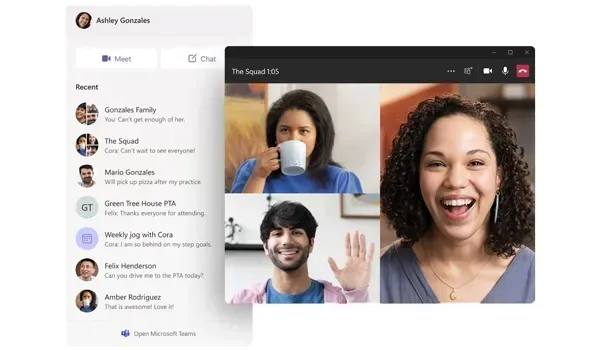
Security and Control for Managed Fleets
Where Professional adds BitLocker, Remote Desktop, Hyper-V, and domain join, Enterprise extends the stack for corporate risk models. Credential Guard and related isolation technologies help protect authentication material. Application control options let administrators decide which software can run. Direct Access and advanced networking features support remote workers joining company resources under policy, while AppLocker and Windows Defender Application Control patterns help reduce shadow IT and malware footholds across shared machines.
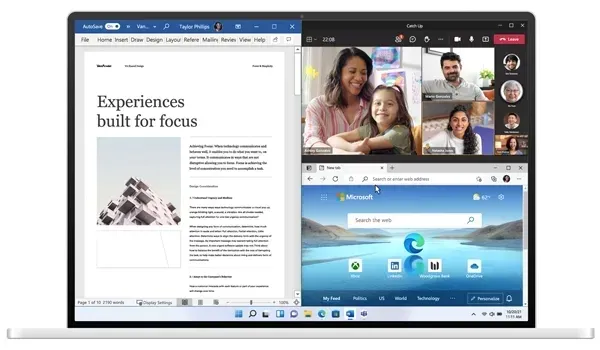
Windows 11 Enterprise also fits hybrid and cloud-managed workplaces. Devices can enroll with modern management, receive configuration from Microsoft Entra ID–joined environments, and stay aligned with organisational update and compliance baselines. End users still get a productive Windows 11 desktop; administrators keep the levers required for audit, lockdown, and incident response.
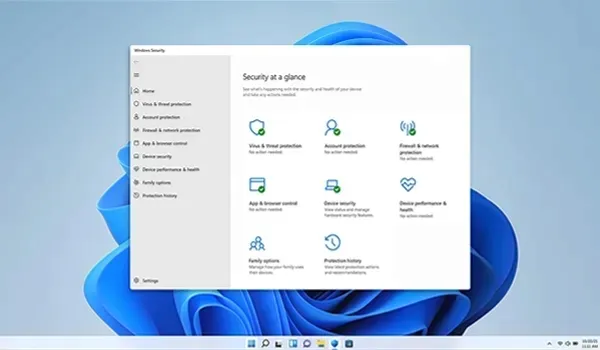
Enterprise Edition Capabilities
- Advanced security hardening for company-managed PCs
- Credential Guard and stronger identity protection on supported hardware
- Application control options for restricting unapproved software
- BitLocker Drive Encryption and enterprise key-management workflows
- Remote Desktop, Hyper-V, and Windows Sandbox for IT and power users
- Microsoft Entra ID and Active Directory domain join for fleet identity
- Group Policy and modern device-management integration
- Windows Hello and Windows Security with Microsoft Defender
- Snap Layouts, Virtual Desktops, and current Windows 11 productivity UI
- Regular Microsoft security and feature updates suitable for staged rollout
Who Should Choose Enterprise?
Pick Windows 11 Enterprise when devices are owned and governed by an organisation — offices, public sector teams, regulated industries, or any environment that needs stricter control than a freelancers' Professional install. Households and students usually stay on Windows 11 Home. Solo professionals and small teams that need BitLocker and Remote Desktop without full enterprise tooling often prefer Windows 11 Professional. Academic programmes may evaluate Windows 11 Education instead.
System Requirements
Windows 11 Enterprise follows Microsoft's Windows 11 hardware baseline. Confirm each managed PC before deployment:
- Compatible 64-bit processor with at least 1 GHz and 2 or more cores
- At least 4 GB of RAM
- At least 64 GB of available storage
- UEFI firmware with Secure Boot capability
- TPM 2.0 support
- DirectX 12 compatible graphics processor
- Display larger than 9 inches with HD resolution
- Internet connection for setup, updates, and cloud identity features
Verify devices with Microsoft's PC Health Check. Enterprise features that rely on virtualization-based security also need compatible CPU and firmware settings enabled in BIOS/UEFI.
Installation & Activation
Activate Windows 11 Enterprise with a matching product key after installing from official Microsoft media. Use Settings → System → Activation → Change Product Key. Confirm the edition under Settings → System → About before checkout, and follow your organisation's volume or retail licensing rules where applicable. This key is intended for Windows 11 Enterprise (and compatible Pro activation paths stated on the listing) — it does not cover special SKUs such as Enterprise LTSC, Enterprise N, Enterprise LTSB, or similarly named variants unless explicitly sold as those products.
Related Windows Editions
Compare Windows 11 Professional for smaller business PCs, Windows 11 Home for consumer machines, and Windows 11 Education for campus deployments. Previous-generation fleets can still use Windows 10 Enterprise or Windows 10 Professional until hardware is ready for Windows 11.
Buy Microsoft Windows 11 Enterprise
Microsoft Windows 11 Enterprise suits organisations that need managed security, identity integration, and fleet-ready controls on the current Windows desktop. Explore every edition in Operating Systems, browse the wider Software catalogue, or review sibling Windows releases before you purchase.
| Platforms: | Windows |
|---|---|
| Product Type: | Operating systems |
| Regions: | Global |
| Languages: |
|