




Search FAQ
NCSoft Key Activation
NCSOFT codes, such as NCoin cards and game or bonus codes, are redeemed on your NC Account. Log in with the account you play on before you start.
Redeem a code with Register Coupon
Current NC Accounts redeem codes in the Coupons section.
Open NC website1Log in to your NC Account
Log in to your NCSOFT (NC) account, or create one if you do not have an account yet.
2Open Register Coupon
In the Coupons section of your account, select Register Coupon.
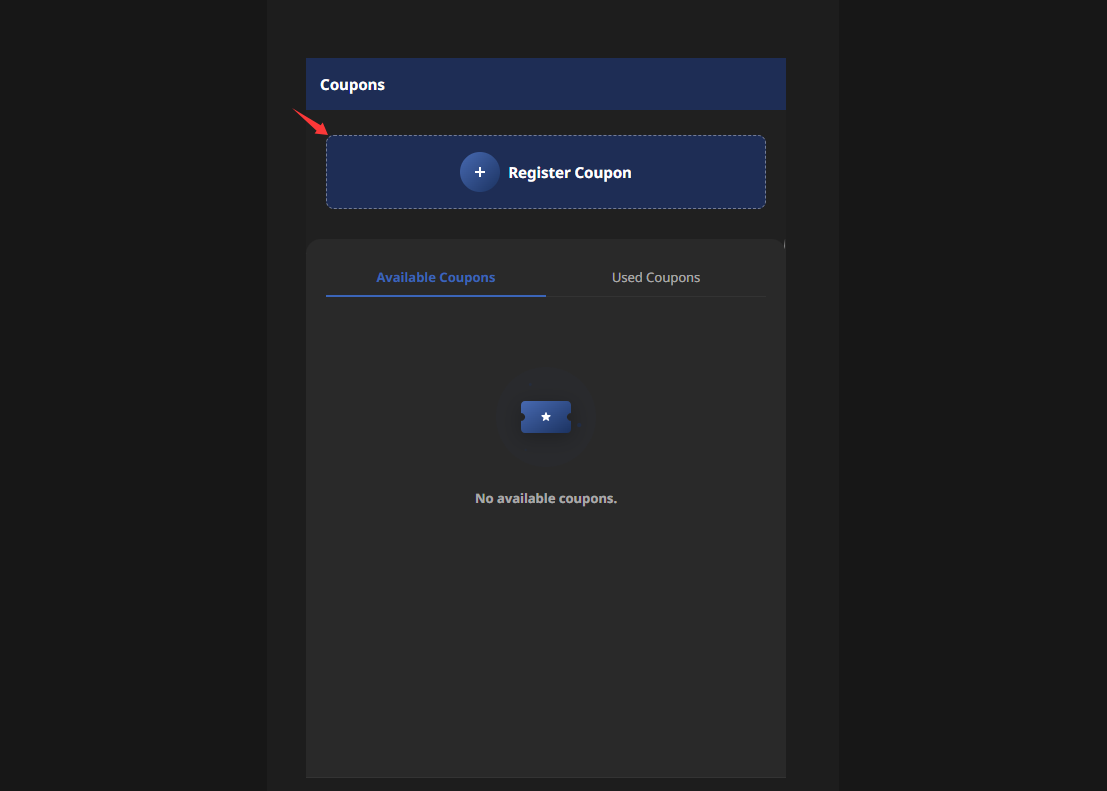
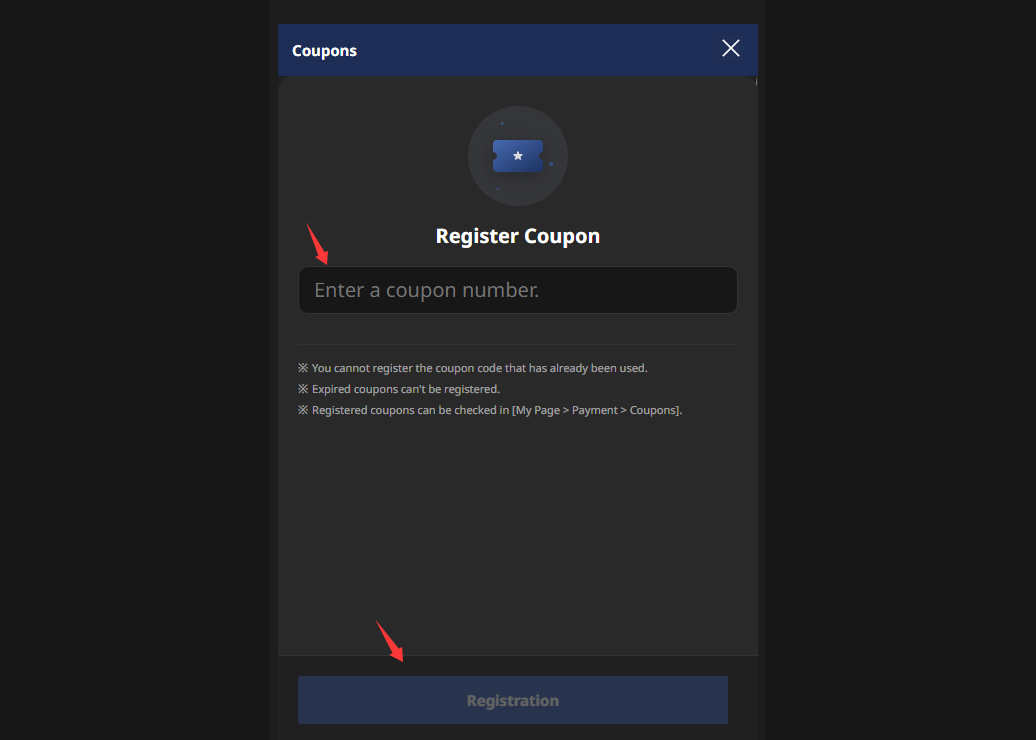
3Enter your code
Enter your code in the coupon number field and confirm the registration.
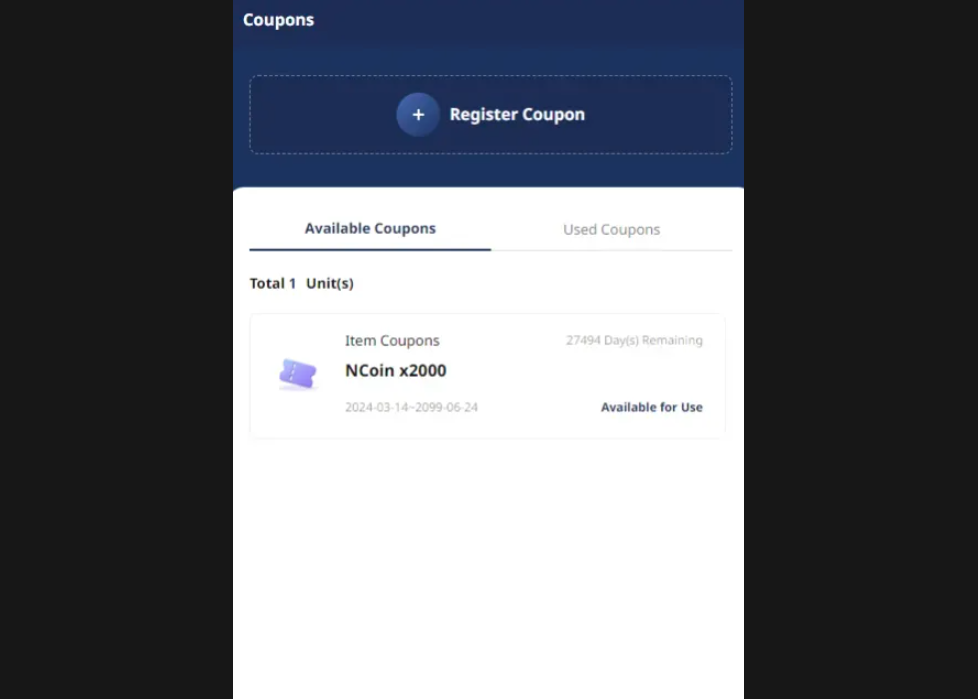
4Select the coupon
After successful verification, the coupon appears under Available Coupons. Select it.
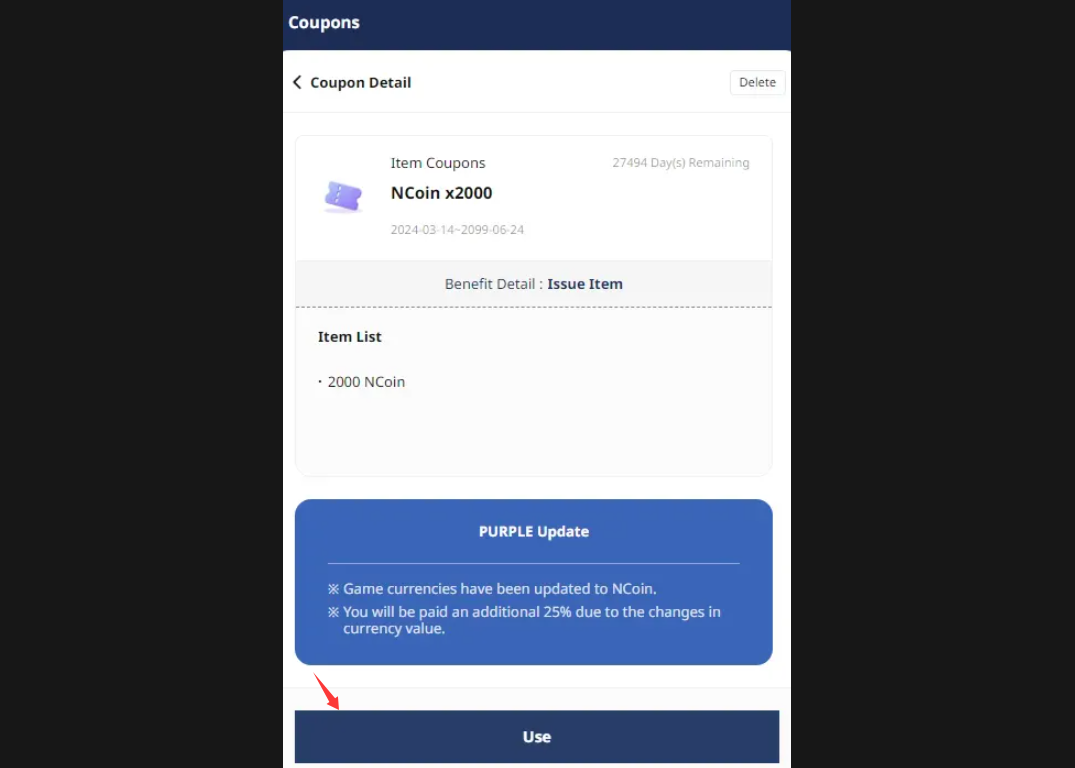
5Use the coupon
Select Use, then select OK in the confirmation window. The NCoin or item is added to your account.
Redeem a code with Apply a Code
If your account page still shows the Apply a Code tab, use these steps.
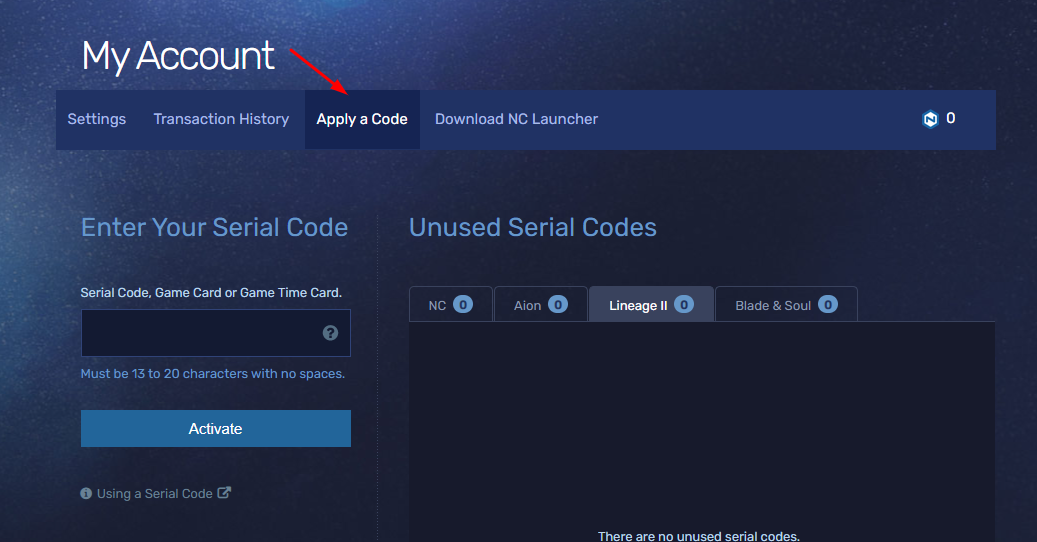
1Open Apply a Code
Log in to NC Account Management and select the Apply a Code tab.
2Enter and activate your code
Enter your 13-digit or 20-digit code and select Activate. The code then appears under Unused Serial Codes, in the NCoin or game tab.
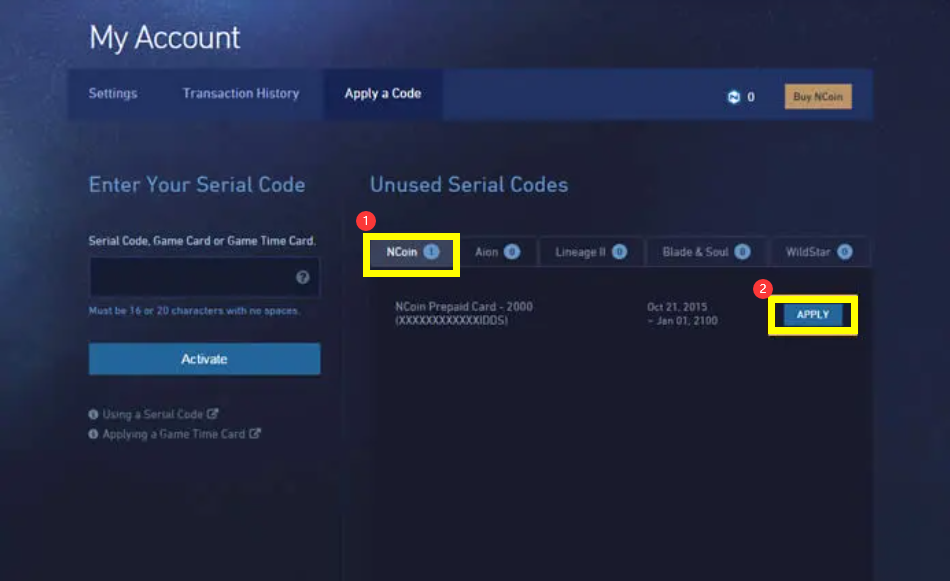
3Apply the code
Select the NCoin or game tab and select Apply next to the code. If a game choice appears, select the game for your bonus item.
Important to know
Keep these points in mind.
1Use the right account and region
Make sure you are logged in to the correct NC Account. NCoin is region-locked, so the code must match your account region.
2Confirmation
After a code is applied, you should receive a confirmation e-mail, and the code is listed in your transaction history.