




Search FAQ
Nintendo Switch 2 Key Activation
Redeem your Nintendo Switch 2 download code in Nintendo eShop on your console or online through the Nintendo website.
Console activation
Use these steps to redeem your code directly on your Nintendo Switch 2 console.
1Connect to the internet
Make sure your Nintendo Switch 2 is connected to the internet and linked to a Nintendo Account.
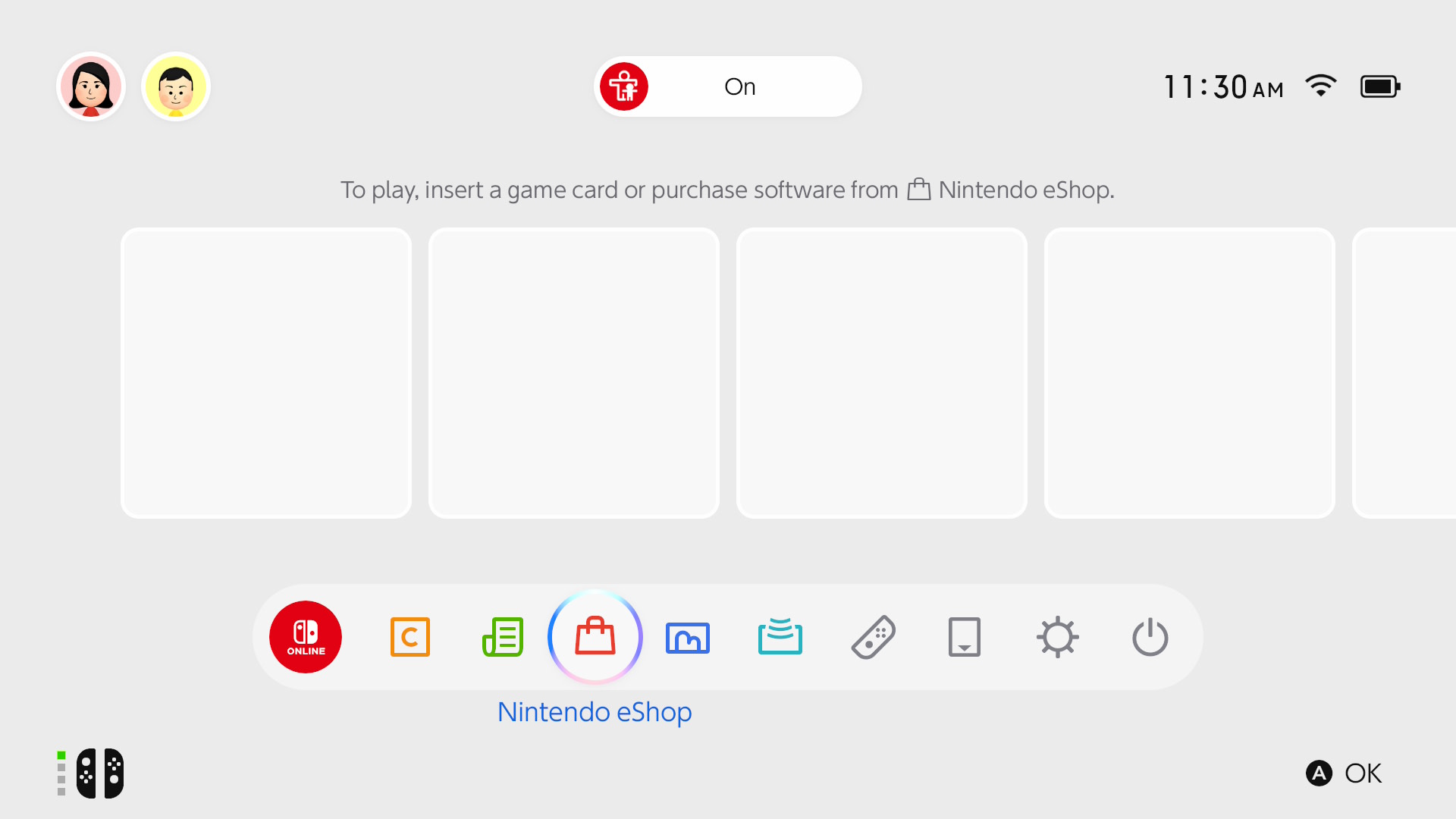
2Open Nintendo eShop
Select Nintendo eShop on the HOME Menu, then select the user who should own the game.
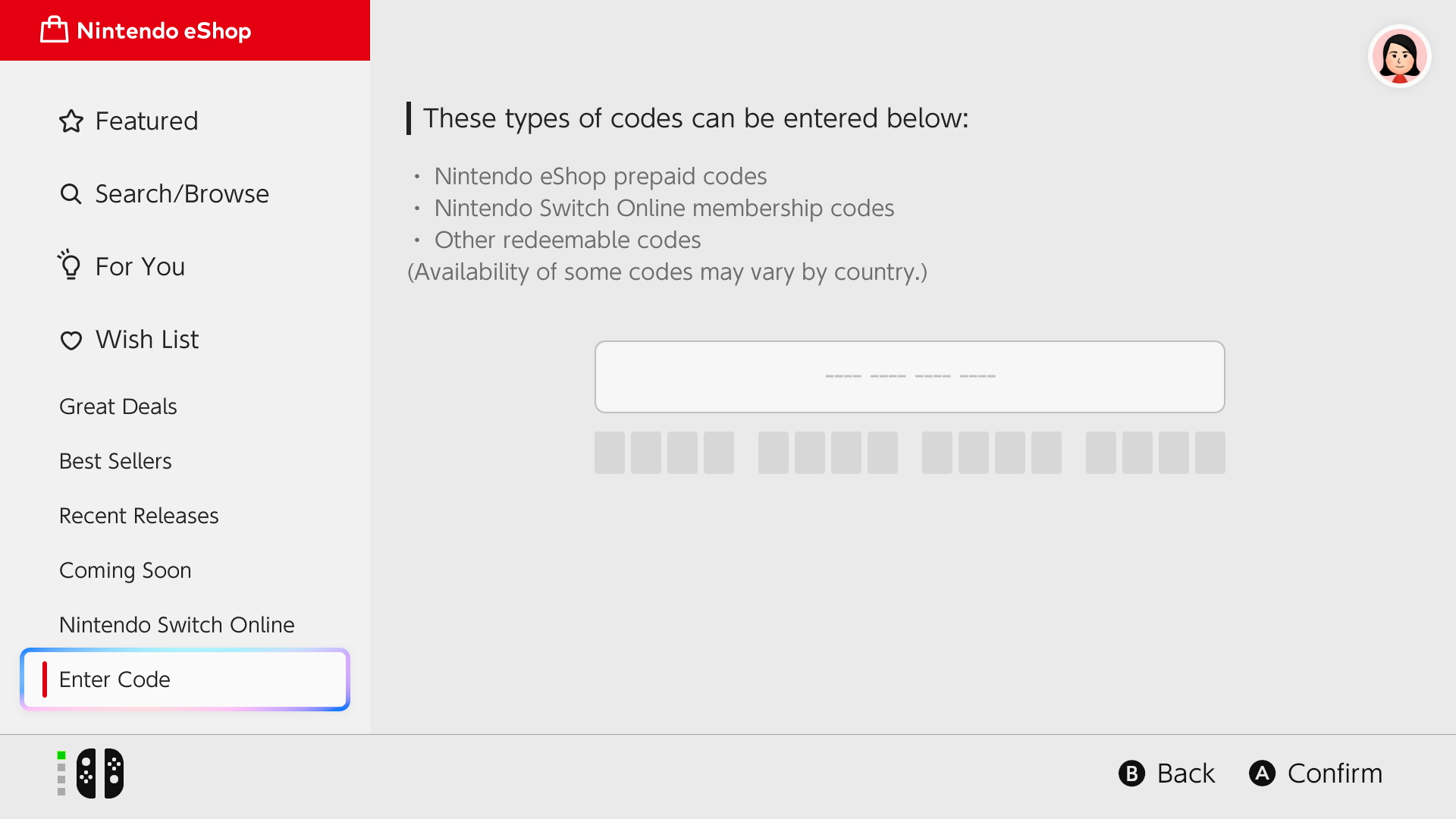
3Open Enter Code
Select Enter Code on the left side of the screen.
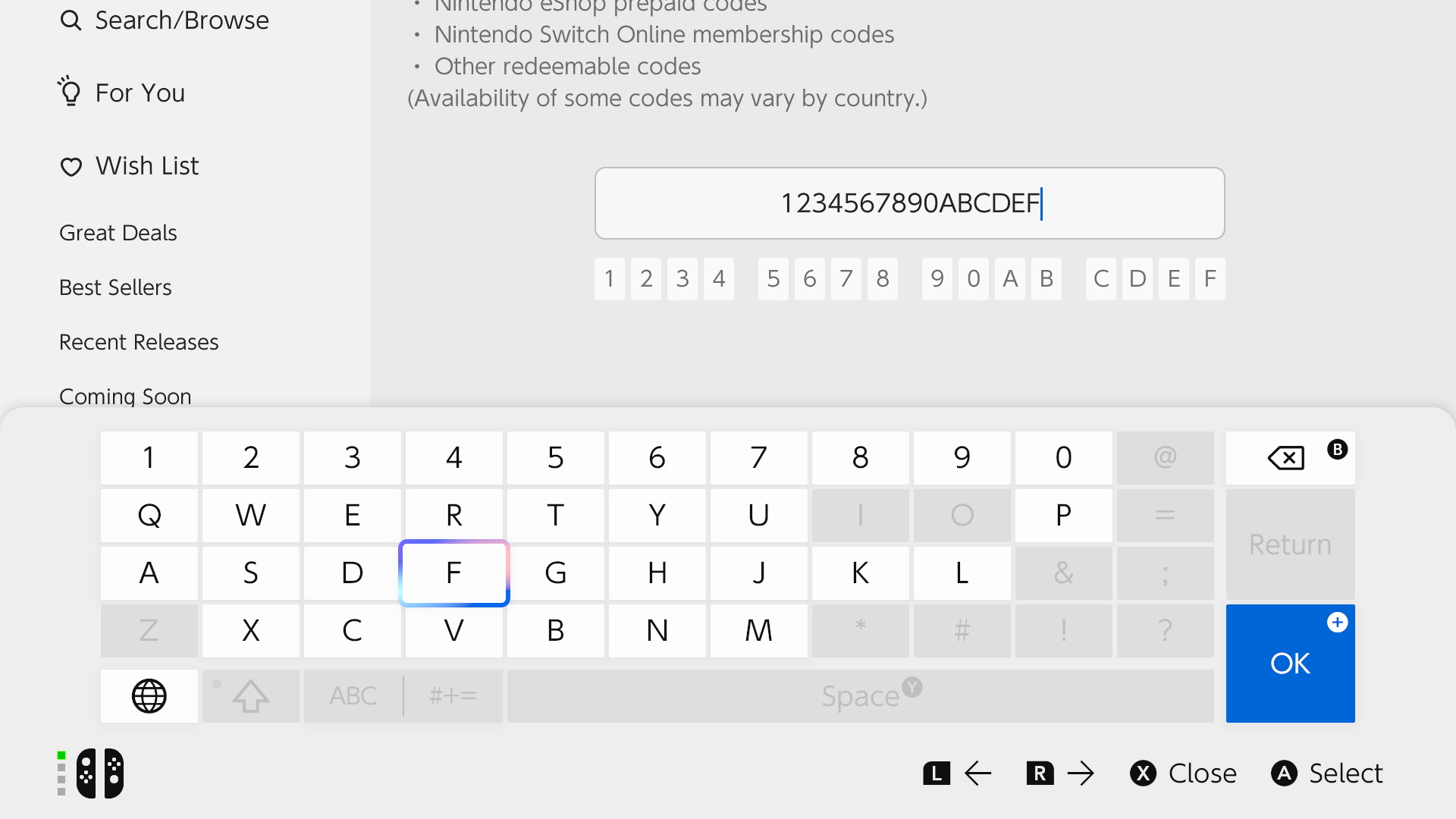
4Enter your code
Enter the 16-character download code, select OK and then Confirm. The game will start downloading to your console.
Website activation
You can also redeem your code online when you are away from your console.
Open Nintendo redemption page1Sign in to your Nintendo Account
Open the Nintendo redemption page and sign in with the Nintendo Account used on your console. You must have opened Nintendo eShop on the console with this account at least once.
2Enter your code
Enter the 16-character download code and select Next.
3Confirm the redemption
Re-enter your Nintendo Account password if asked and select Redeem. The game will download to your console the next time it is online.
Important to know
Check these points if your code does not work.
1Use a Nintendo Switch 2 console
Nintendo Switch 2 games, DLC and upgrade packs cannot be redeemed on the original Nintendo Switch.
2Enter the right code
Enter the download code (no hyphens), not the control number. Codes never contain the letters O, I or Z.