




Search FAQ
Roblox Key Activation
Roblox Gift Cards, Robux codes and promo codes are redeemed in a web browser on the official Roblox redeem page.
Redeem your code in a web browser
Use any web browser on a computer or phone.
Open Roblox Redeem Page1Open the redeem page
Go to roblox.com/redeem in your web browser.
2Log in to your Roblox account
Log in to the Roblox account that should receive the credit, or create a new account.
3Enter your code
Enter your code (PIN) in the Code text box and select Redeem.
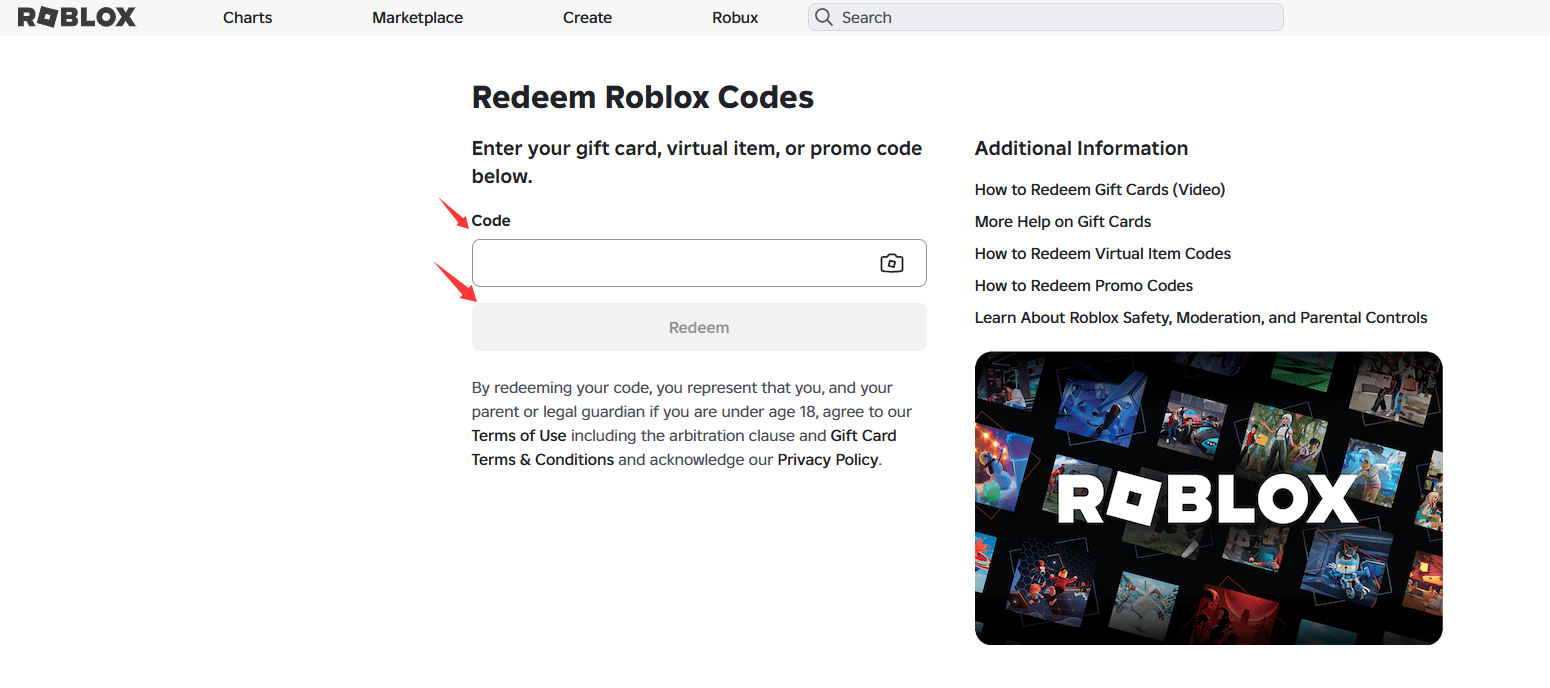
4Confirmation
A confirmation message appears once the credit or item has been added to your account.
Redeem in the Samsung Galaxy app
On Samsung Galaxy devices you can also redeem in the Roblox app.
1Open the More page
Open the Roblox app on your Samsung device and go to the More page.
2Redeem your code
Tap the Redeem tile, enter your code and confirm. A confirmation message appears when it is added.
Important to know
Keep these points in mind.
1Not in the standard app or on consoles
Codes cannot be redeemed in the standard mobile app or on consoles. Use a web browser instead.
2Code not accepted?
Similar characters are often mixed up. Try 0 as O, 1 as I, 2 as Z, 5 as S, 6 as G or Q, and 8 as B.
3Credit or Robux
Gift Cards add Roblox Credit, which can be used to buy Robux or a subscription. Some codes, such as Amazon digital codes, give Robux only.
4One code at a time
Codes work worldwide and the value is converted to your account currency. You can redeem several codes, one at a time.